A POS built for speed & reliability
From the first table you map to the last shift you close, Tari1 runs order taking, the kitchen display, and cash reconciliation in one place — and keeps working even when the network doesn't.
Set Up Menu & Floor
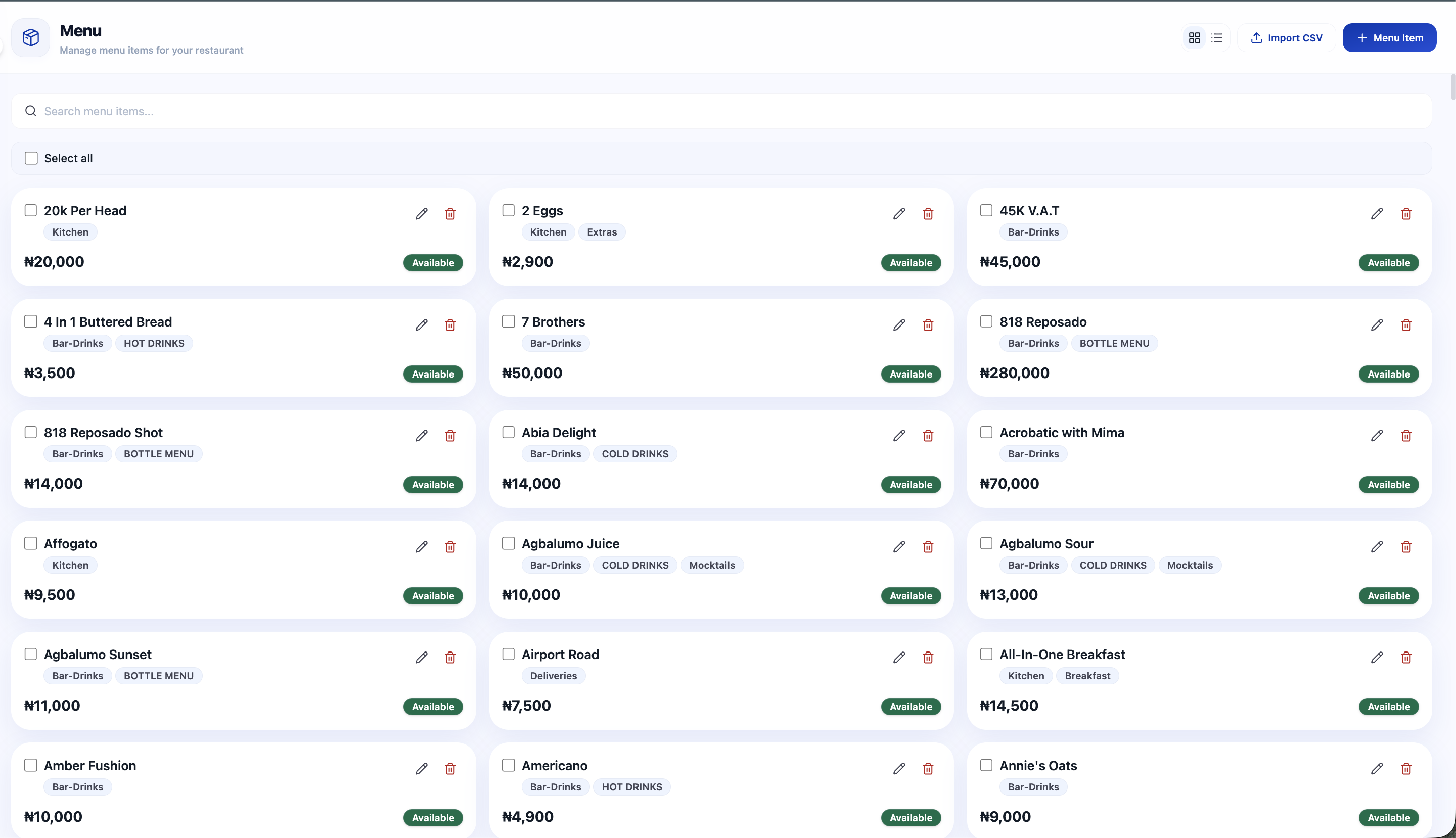
Add your menu items and categories, map your tables into sections, and set your VAT and service charge rates.
Know What's Selling
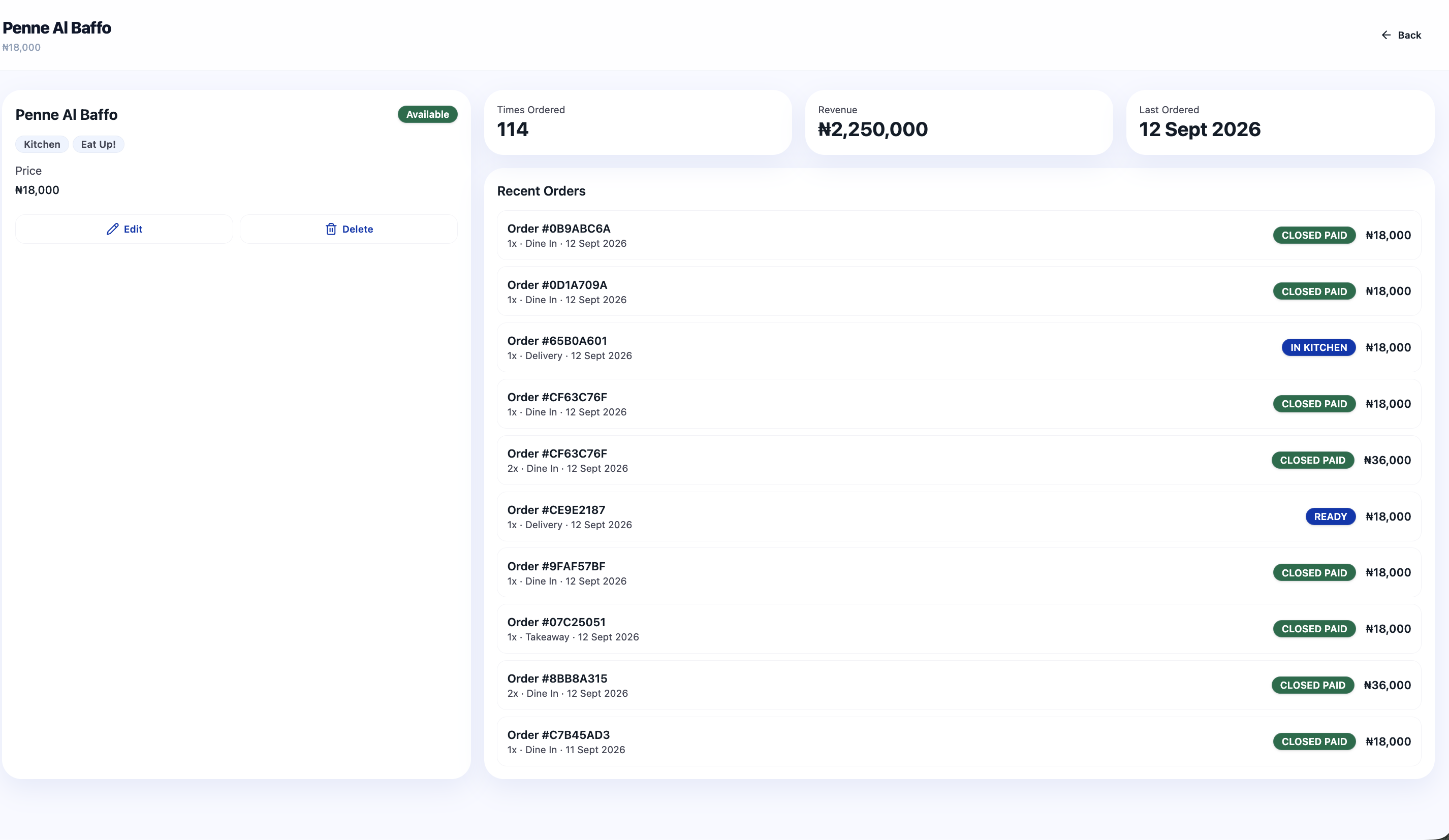
Every menu item tracks its own performance — times ordered, revenue, and the recent orders it came from — so you always know what's working and what isn't.
Take & Fire Orders
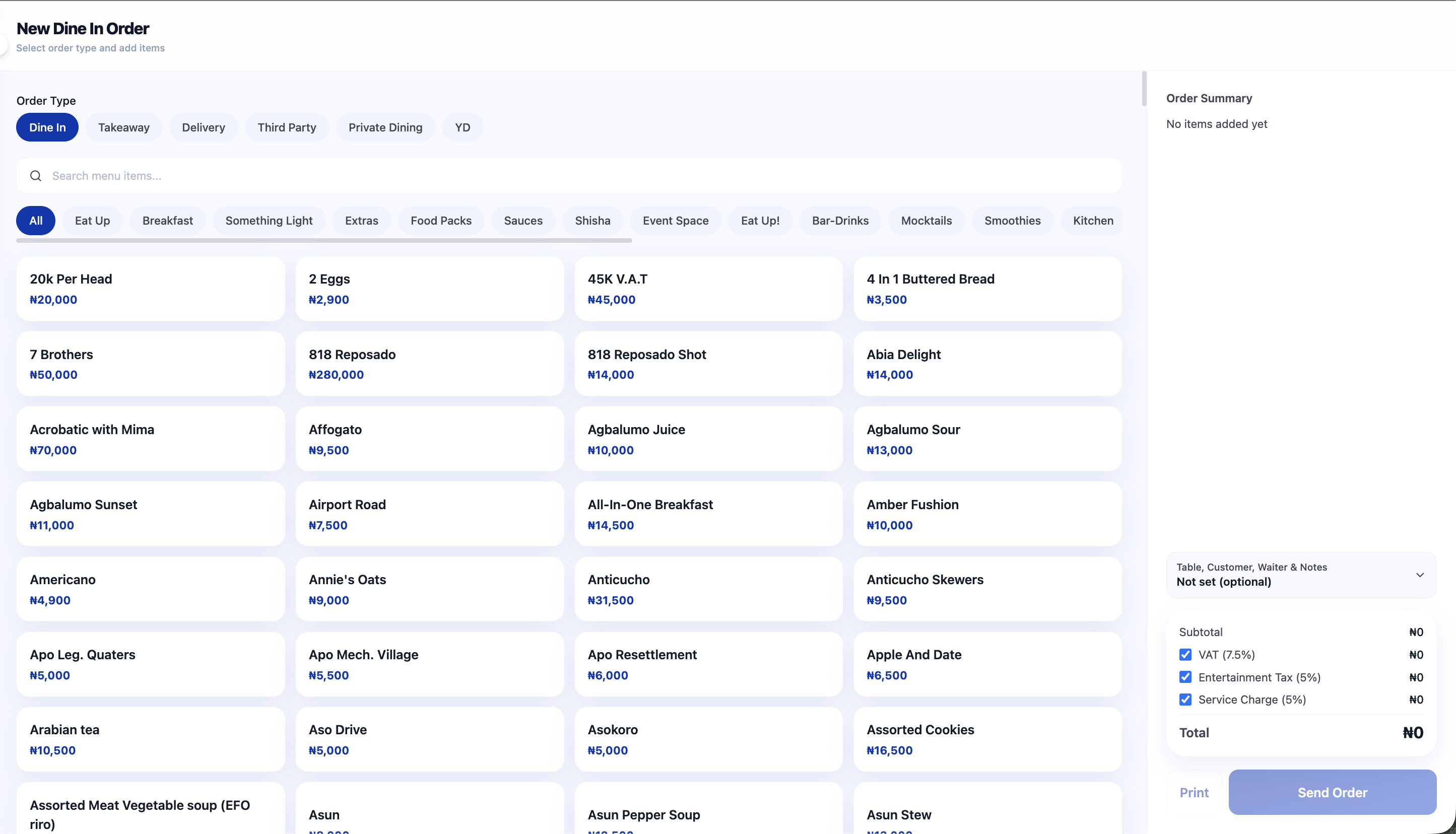
Waiters send the order from the table. It lands on the kitchen display instantly, with a prep timer running.
Close & Reconcile
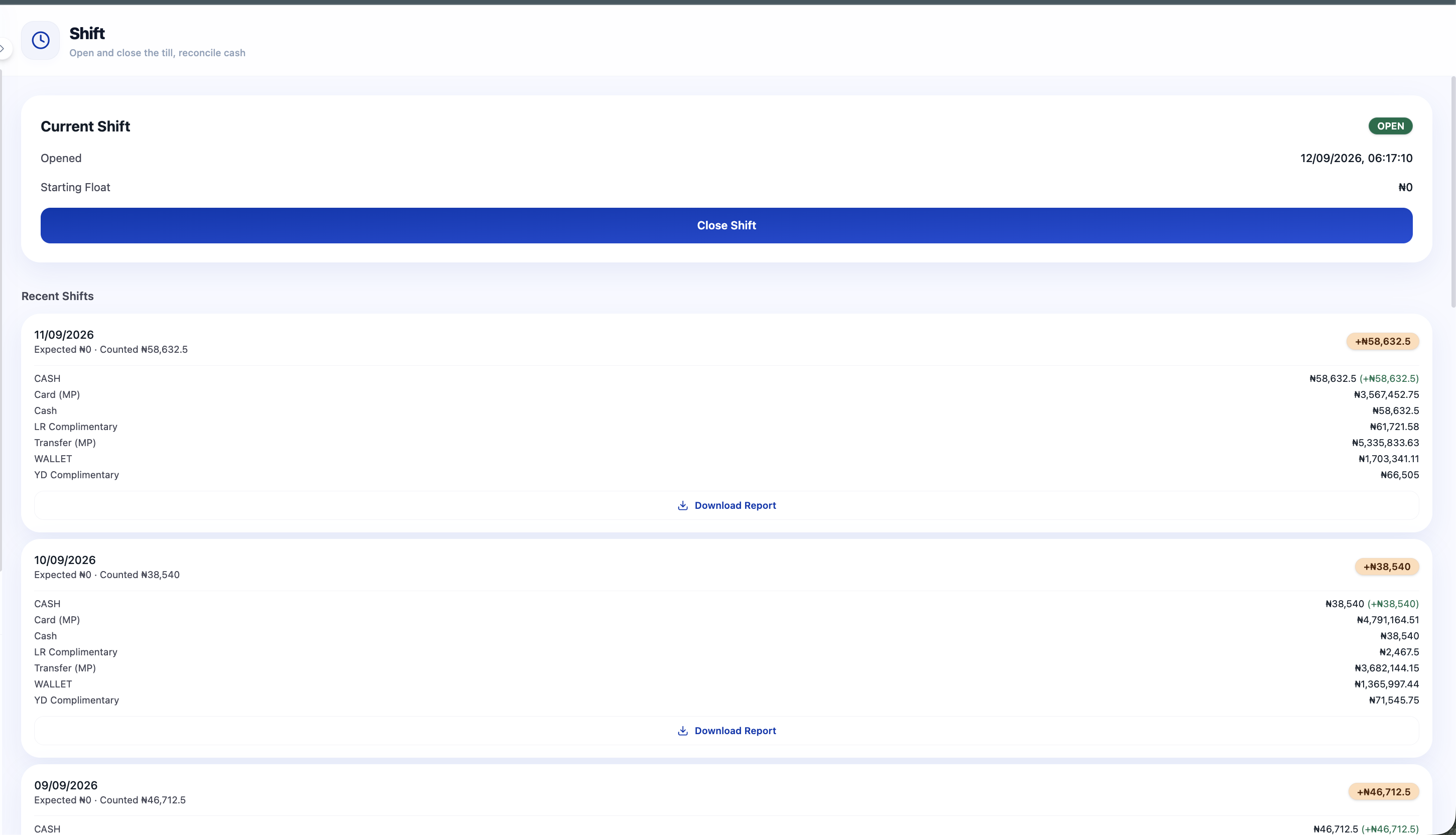
Count the till against expected cash, catch any variance, and download a shift report — every night, without spreadsheets.
Try the Order Simulator
See exactly how Tari1 totals a table's order. Change the values below and watch VAT and the total update in real-time — the same math your cashiers see at checkout.
Order Parameters
The Grill House · Table 4
Order #ORD-1042
Item
Jollof Rice
Qty: 4 × ₦2,500.00
₦10,000.00
Charge the table with cash, card, bank transfer, or Paystack.
Ready to run a faster floor?
Start taking orders today. No credit card required. Cancel before day 30 at no cost.
Start Your 30-Day Free Trial